My story: LSavr
ONNX Runtime Web
WebAssembly
ppu-paddle-ocr
Barcode Detection API
PWA
TypeORM
MongoDB
Joi
TypeScript
Next.js
React
Tailwind CSS
Radix UI
A zero-friction, privacy-first web app for sharing links across devices on the same Wi-Fi, featuring in-browser camera OCR, instant QR codes, and PWA integration.
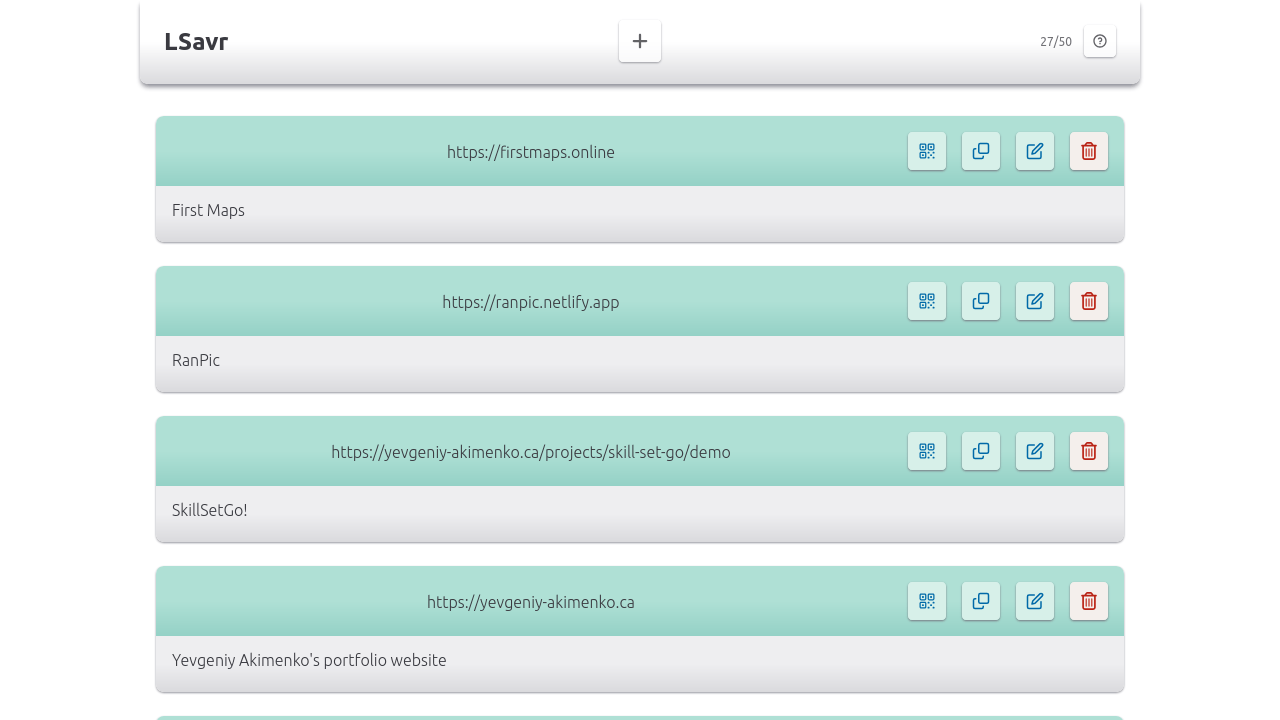
Main view
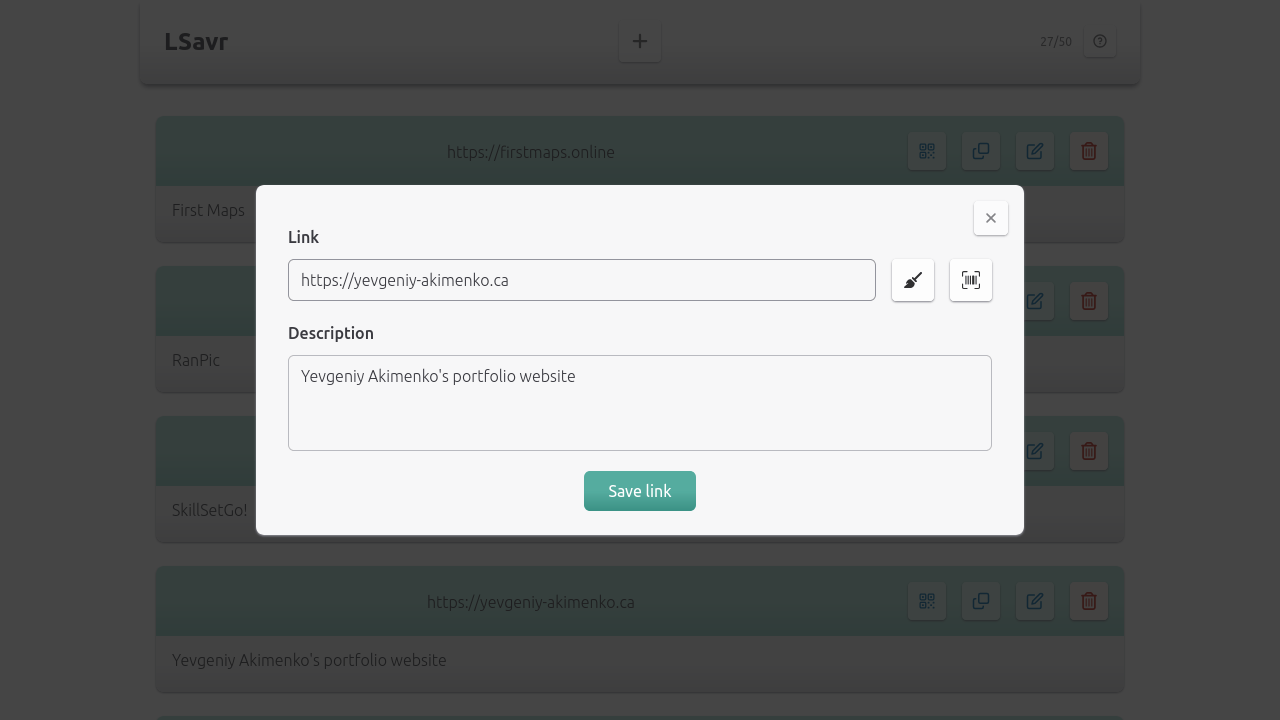
Adding or editing a link
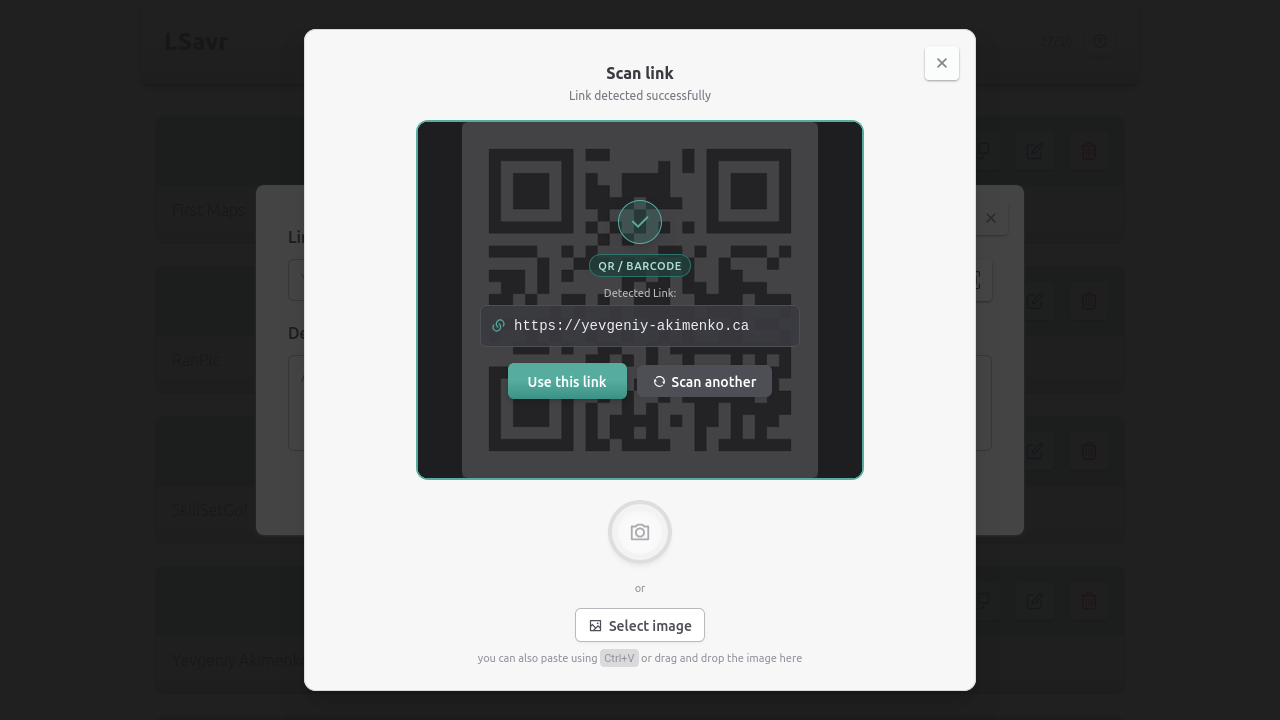
Adding a link through scanning feature
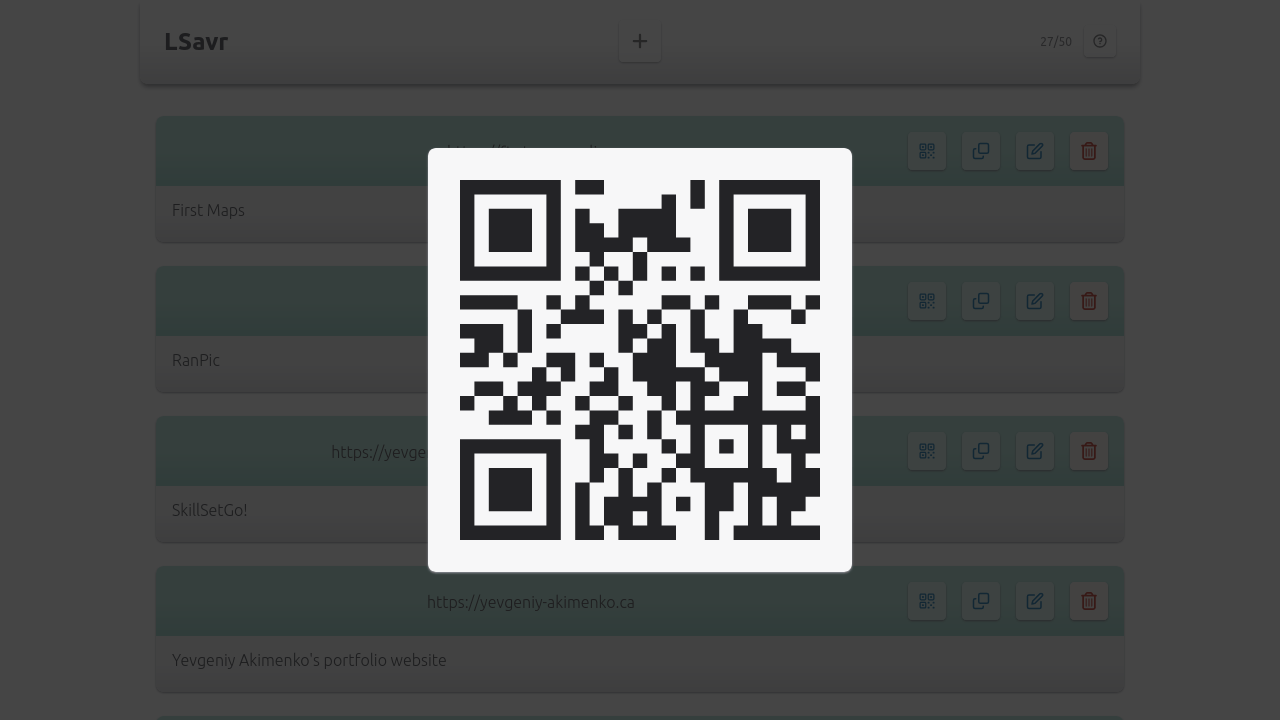
Displaying link as QR code
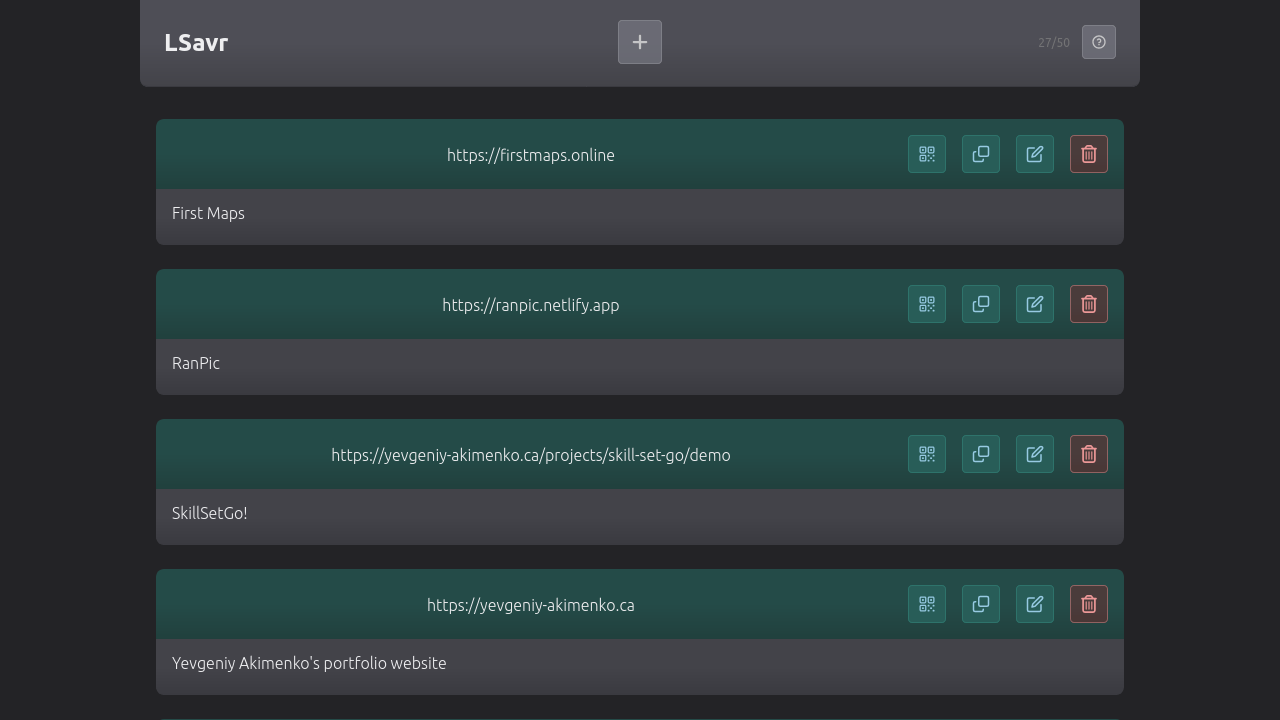
Dark mode
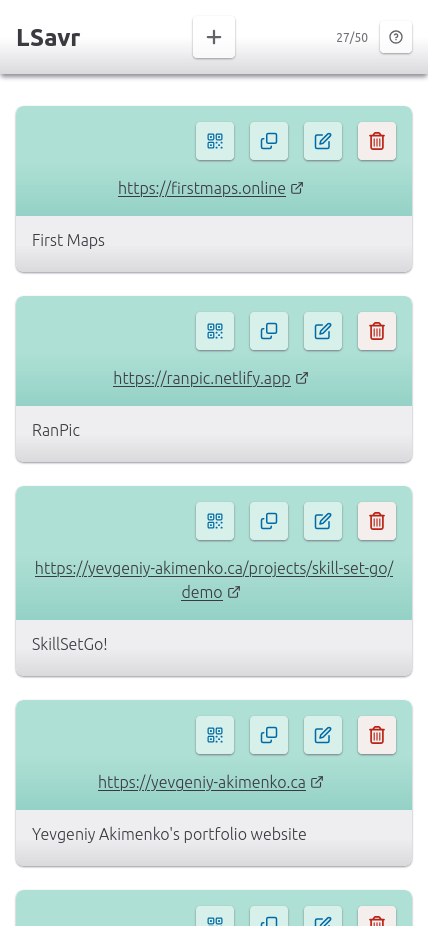
Mobile screen
Zero-Friction Local Sharing
Almost everyone has experienced the friction of trying to send a link, article, or video from a phone to a laptop, or sharing a webpage with someone in the same room. The typical workarounds—emailing yourself, pasting URLs into messaging apps, or configuring synchronized browser accounts—are clumsy and disruptive.
LSavr was created to eliminate this friction entirely. It allows anyone on the same local or home Wi-Fi network to open the app in any modern browser and instantly view and share links across devices. There is no account creation, password management, email verification, or native app installation required.
Network Discovery & Privacy-First Architecture
The application takes advantage of Network Address Translation (NAT): most home and local Wi-Fi routers map all connected devices to a single external public IP address when connecting to the internet. LSavr identifies devices sharing the same Wi-Fi network by the IP address of incoming requests, allowing them to share a common link space.
Privacy is a top design priority: real IP addresses are never logged or stored in the database. Instead, incoming IP addresses are salted and cryptographically hashed using SHA-512 before lookup or storage. This enables devices on the same Wi-Fi to seamlessly discover shared links without their actual IP address ever being saved.
Because residential internet service providers (ISPs) periodically reassign router IP addresses, an IP change would ordinarily sever access to previously saved links. To prevent this, LSavr tags links with a persistent client device identifier stored in local storage, preserving uninterrupted access to saved link collections even after a router IP refresh.
In-Browser Machine Learning & Camera Link Scanning
To make capturing links effortless, LSavr features an integrated camera scanner and image upload feature. Users can capture links directly from physical media—such as books, conference slides, product packaging, or computer screens—without typing a single character.
A fundamental requirement of this feature is complete privacy: camera video feeds and uploaded photos are never transmitted to any remote server. All vision and optical processing happens 100% on-device directly within the browser.
The scanner employs a dual-engine pipeline. First, it detects QR codes and barcodes using the browser's native Barcode Detection API, falling back to the open-source html5-qrcode library when needed. If a barcode or QR code is detected, the URL is extracted immediately.
If no barcode is present, a WebAssembly deep learning neural network takes over to extract printed URLs using Optical Character Recognition (OCR). Powered by ppu-paddle-ocr and ONNX Runtime Web, the model runs directly on the client hardware. The pipeline normalizes candidate URLs, resolves schemeless domains, extracts links embedded in surrounding text, and filters out false positives such as source code file extensions and sentence boundaries.
Cross-Device Ecosystem & Native Sharing
LSavr provides multiple ways to beam and receive links across platforms:
Instant QR Display: Every saved link features a QR code button. Clicking it instantly renders a high-contrast QR code on screen, allowing nearby mobile devices and guests to open the URL with their phone camera without any Bluetooth pairing or manual typing.
Progressive Web App (PWA): LSavr is configured as an installable PWA that registers with the Web Share Target API on Android and Chromium browsers. This allows users to share links directly into LSavr from their device's native system share sheet across any app or browser.
Apple Shortcuts Workflow: Because Apple operating systems (iOS, iPadOS, macOS) do not support the Web Share Target API for web applications, I built dedicated Apple Shortcuts integrations. Users can use an interactive share sheet shortcut to pre-fill links into LSavr, or an automated background shortcut that directly POSTs the link to the LSavr API endpoint using the device identifier—saving links with a single tap without opening the browser.
Data Portability: For users who want a permanent archive or want to organize their links in a spreadsheet, LSavr includes a one-click export feature that downloads the entire link collection as a tab-separated (TSV) table compatible with Google Sheets and Excel.
Evolution: From Express Prototype to Modern Next.js Full-Stack
The project was originally written in pure JavaScript with an Express.js server, styled with Bulma CSS, and backed by MongoDB via Mongoose. It was initially deployed on an AWS EC2 instance with custom Let's Encrypt SSL certificate provisioning.
I later undertook a complete rewrite from the ground up to modernize the architecture into a unified Next.js (App Router) application using React and TypeScript. This transition brought end-to-end type safety from database entities to front-end components.
The UI was rebuilt using Tailwind CSS, featuring full light and dark mode support that automatically adapts to the user's system preferences. Interactive dialogs, forms, and tabs are powered by headless, accessible primitives from Radix UI to guarantee smooth keyboard navigation and compliance with accessibility standards.
On the backend, MongoDB persistence is managed using TypeORM entities to define schema collections, paired with Joi for strict runtime request validation. The development workflow incorporates Biome for high-speed linting and formatting, alongside a comprehensive testing suite that pairs unit tests via Vitest with property-based testing using fast-check. The application is deployed on Vercel for high-performance global edge delivery.